
Oracle SQLcl Part 3
Oracle SQLcl – Stop Typing and Start Aliasing…..
I’ve realised it’s good I didn’t decide a fixed number of posts to write on this topic beforehand. I wouldn’t have been able to stick to the decided amount. The tool is so rich and provides so many amazing new features that really increase my productivity.
Moving from SQL*Plus to SQLcl has really improved the way I can interact with the database and SQLcl is from my point of view pure innovation.
The one feature in SQLcl being brought up today is the command “ALIAS”. The alias command in SQLcl works pretty much the same as the Linux version of alias. I’ve been using aliases in Linux for as long as I can remember and to have the same functionality when interacting with the database using SQLcl will make my days easier.
With SQLcl we can perform the below.
– Create aliases interactively
– Delete aliases
– Display the actual code/sql statement behind an alias, what will the alias do?
– List the aliases already created
– Run the SQL using the alias.
In the examples that follow, I connect to Oracle 23ai Free version from my Windows Laptop via SQLcl in SQL Dev extensions for VS Code.
WORKING WITH ALIAS COMMAND:
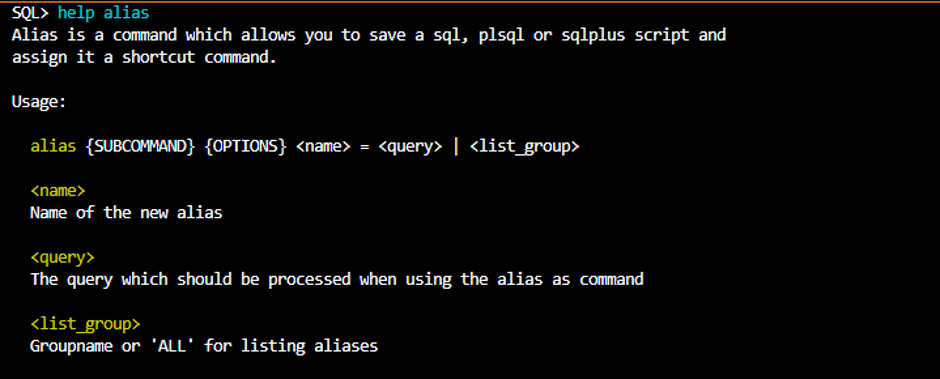
The help in SQLcl is very comprehensive and helpful so let’s start asking for help for the alias command. The help section is much bigger than shown in the below example and explains many different usage examples, the help is very well structured.
To create an alias, I just type alias and a name and then the statement I want to connect to the alias name: As an example, I want one alias listing the database name and one listing all the names of the datafiles.


Now I just want to see what aliases I have created.

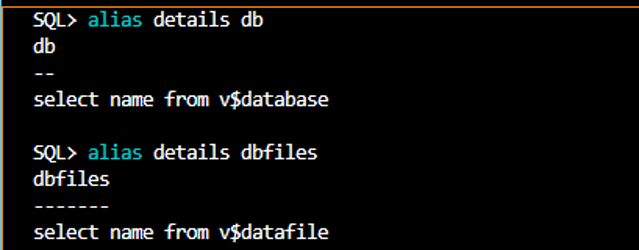
I have all these aliases, well only two for now but I cannot remember what they exactly do so I want to know.
We can get details about the alias using “alias details alias-name” as in the example below.
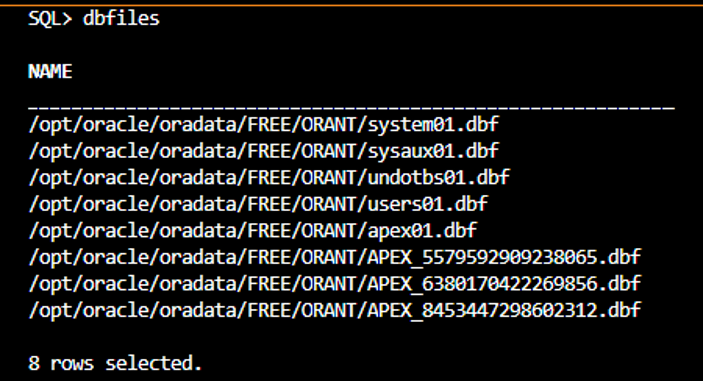
Let’s use the alias dbfiles to show the names of all datafiles.
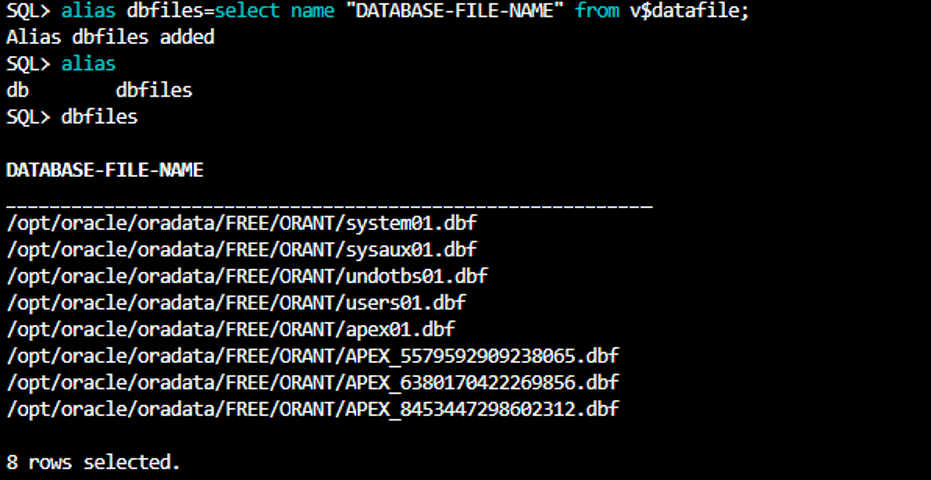
I would like the heading to be DATABASE-FILE NAME instead of NAME, can we change the alias, without dropping it?
Yes, thats doable.
We can drop the aliases just typing “alias drop alias-name“.
If as in my case connecting from my laptop the file holding the aliases will be found even for other connections so I can use the same connecting to other databases.
We can see where the alias file is stored and the name of the file with the below.

If we run SQLcl locally on a specific server then the aliases will be only for the database instances located or accessible from just that server.
Accordingly, it should be possible to add a description to the alias, in some versions of SQLcl it’s not working yet but one can always work around that by adding the description to the aliases.xml file and save. So, I want to add a description to the alias “dbfiles”. See the below example how to add it to aliases.xml file.
alias name="dbfiles">
        <description><![CDATA[List all Datafiles]]></description>
        <queries>
            <query minversion="8">
                <sql><![CDATA[select name "DATABASE-FILE-NAME" from v$datafile]]></sql>
            </query>
        </queries>
    </alias>
</aliases>
Now when I list the details of the alias it will also show the description.

SQLcl aliases are one of those features that quietly transform how you work with Oracle databases. Give them a try and spread the word — the more developers who discover them, the better our collective workflows become.