
Oracle SQLcl Part 4
Another Round of SQLcl Ammo: The HISTORY Command…..
So, we still haven’t reached the last post in my blog series describing powerful commands in Oracle SQLcl.
Today’s focus will be on the command “HISTORY”. This command is a strong feature built into the SQLcl utility, and I use it many times during the week — it genuinely improves the way I work with SQLcl. I mainly work directly on Linux/Unix servers where a history command is most of the time available, and I use that a lot. Hence, when I first time found out about history command in SQLcl I was sure I would appreciate the possibility of using something similar in SQLcl as well.
After using the command in SQLcl for a while now, I have come to the conclusion that the “HISTORY” command in SQLcl is considerably more powerful than the Linux shell history command. The history command in Linux Shell will store the commands many times in history, even if they are the exactly the same. This doesn’t happen in SQLcl, Oracle stores the command only one time. It is how ever possible to show information onhow many times a certain command has been executed.
With SQLcl and these built-in commands, we can perform the below — and a bit more besides.
– List the commands executed previously
– List the number of times a specific command has been used.
– Easily rerun commands from the history.
– Clear the history
– Instruct SQLcl not to save certain command in the history.
– List the time a query took to run, when in the history.
In the examples that follow, I connect to Oracle 23ai Free version from Linux via SQLcl in SQL Dev extensions for VS Code. (VS Code running on Linux instead of Windows)
WORKING WITH THE HISTORY COMMAND:
In my last blog post I already stated the help in SQLcl is useful and well structured so without any further due let’s put the HISTORY command into use.
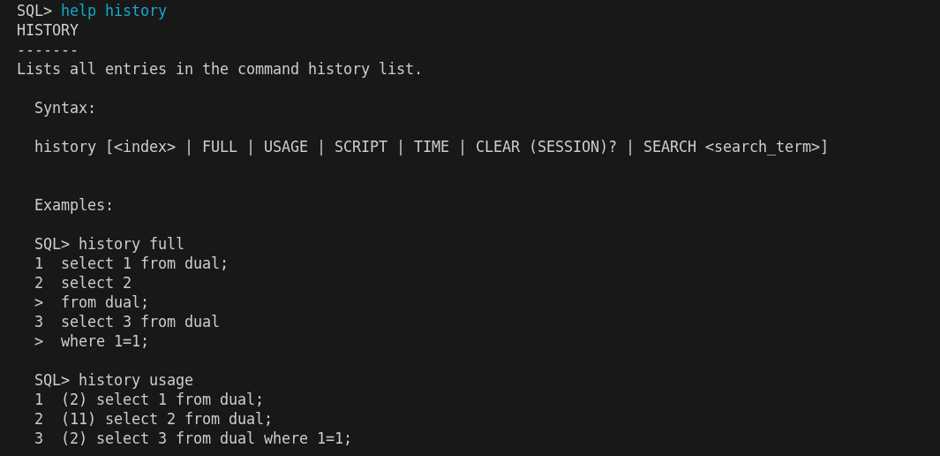
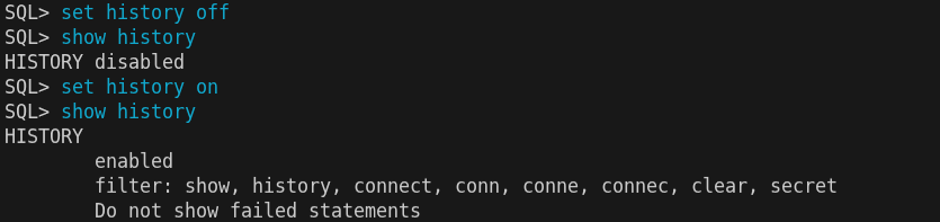
Before we look at how to use the HISTORY command, let’s first check how it is currently configured. We can easily retrieve that information using the command shown below.

The output shows that history is enabled. The commands: show, history, connect, conn, conne, connec, clear and secret will with this configuration not be stored in history.
Being able to not store certain commands in history is powerful feature — there can be many good reasons why you would not want certain commands cluttering up your history. Some of them are obvious, and the ones we see when running SHOW HISTORY for the first time are the defaults that Oracle has put in place for us.
Finally, the history will by default not show failed commands, but we can change that and the other settings as well if we want.
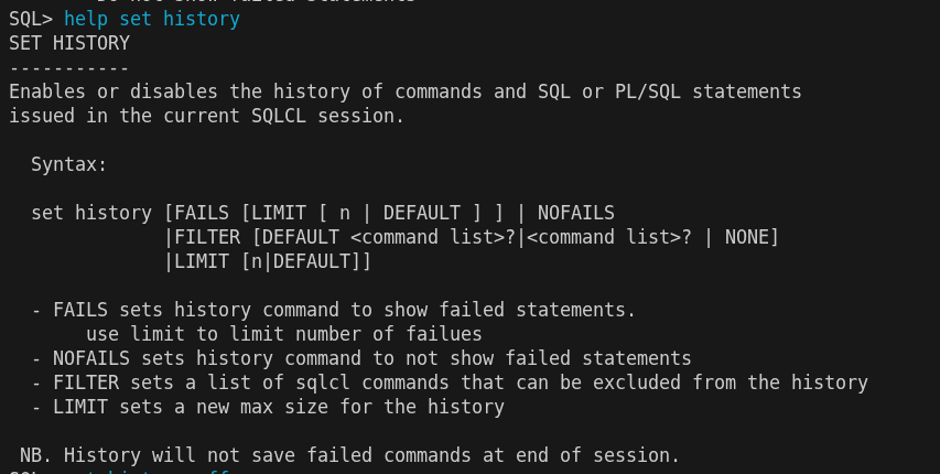
To change the behaviour we use the set command, lets look at the help for SET HISTORY.
We can turn the history off and on.
We can also instruct SQLcl to show failed commands, but personally I never use this feature as I don’t want the history filled with my spelling mistakes — which actually brings to mind another fantastic feature: inline editing. That is, however, a topic for another day. For those who cannot wait, feel free to head over to the Oracle User Guide for SQLcl at https://docs.oracle.com/en/database/oracle/sql-developer-command-line/25.2/sqcug/oracle-sqlcl-users-guide.pdf
We can add more commands to be filtered out from the history using SET HISTORY FILTER COMMAND. However, please be aware that doing so will replace the ones already defined, not add to them. To keep the existing ones and add a new command — “alter” for example — all commands must be specified together as shown below.
SQL> set history filter command1 command2 command3, commandN newcommand
If we by mistake remove the default filters and want them back. Well, that is an easy fix, we just need to use the below.SQL> set history filter default
Let’s start using the history command.

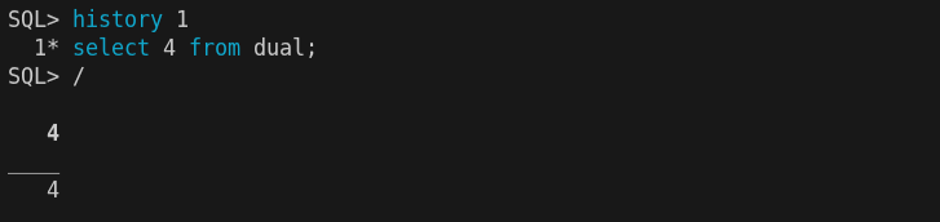
We now want to rerun a command from the history, that is easy.
Looking at the history from earlier, we realize we want to add “SET” to the filter as there is no real value in storing SET commands in the history. At least for me, the preference is to only keep SQL commands that would take a while to retype — and honestly, that is the whole point of having this feature. After adding “SET” as a filter the option is to clear the history
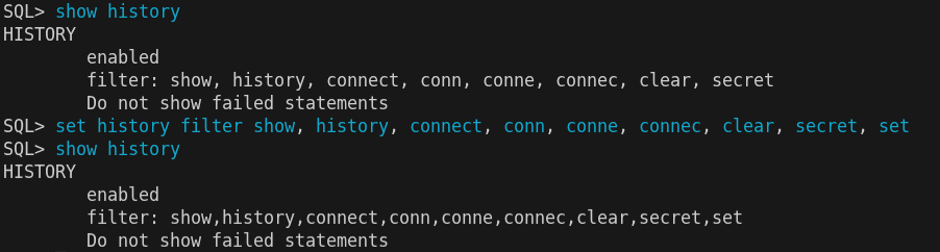
After adding “SET” as a filter we can get rid of the “set linesize” by clearing the history or letting it age out.
Do you want to know how many time a command has been executed. Fully possible, with an easy command.

Keep forgetting to turn on timing in SQL*Plus or SQLcl when testing queries? Going into the database to dig up runtime statistics is not exactly light work. Using SQLcl will solve this for you with the HISTORY TIME command — the execution time is stored into history automatically and can be viewed even after the query has been flushed out of Oracle memory.
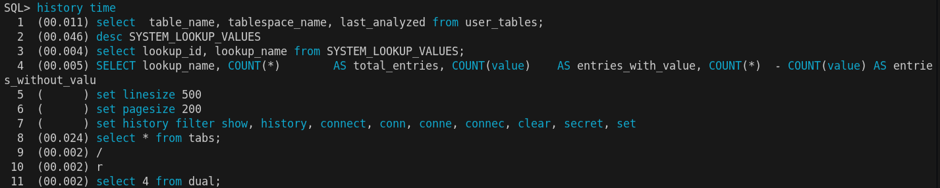
There are probably more strong features when it comes to the history command but those are the ones I use, simple to use and are real time-savers for me. Hope this was useful and will help you exploring this feature that will save you time.