
Oracle SQLcl Part 1
Supercharging Data Movement with SQLcl’s LOAD and UNLOAD…..
As many of you SQLcl users probably already know, it is a very powerful command line tool putting very useful and time-saving tools right at your fingertips. It has many advantages over SQL*Plus. It is built on Java, which gives it capabilities SQL*Plus could never have. With SQLcl, Oracle Developers can connect and interact with any Oracle Database pretty much from anywhere — no Oracle client installation is needed, no physical server access. All one needs is Java and the SQLcl installation — SQLcl runs anywhere without additional Oracle client software.
With SQLcl ready to go, many tasks that previously required physical access to the application server or database server can now be performed from your laptop.
SQLcl is packed with a wide range of built-in commands and tools covering almost everything you need — whether you are a DBA or a Developer. It contains a rich and growing set of commands and tools that make life a lot easier.
Ask a DBA and a developer which SQLcl features they cannot live without, and the answers will probably be different. A DBA might say Liquibase integration or DDL generation, while a developer might say REST or the Alias command.
Both answers will be right — SQLcl is rich enough to serve both DBAs and developers exceptionally well.
Speaking from my own experience as a DBA, two of my favourite commands that I’ve recently discovered are LOAD and UNLOAD, especially combined with the ability to control the output format using SET SQLFORMAT.
LOAD
For me this feature clearly sets SQLcl apart from SQL*Plus. Loading data into the database using SQL*Plus requires more tools than just SQL*Plus to achieve the expected result. One common traditional approach involved using SQL*Loader, where one had to create a control file with the specifications needed to perform the load. Of course there are other ways to load data, but with the LOAD command in SQLcl, it will many times be my preferred way from now on.
With SQLcl, none of this is needed, and the load can be performed in a very easy manner. Of course there are many more ways of
EXAMPLE SYNTAX:
SQL> LOAD table <table_name> <input-file-specification>
UNLOAD
This is also a very useful feature that will dump the content of a specified table into a specific file, with the output nicely formatted. This can of course also be done from SQL*Plus, but one must write more complex SQL to format the output, as CSV formatting is not available in SQL*Plus — or alternatively use a scripting language to format the output after it has been created. The location of the output file must be accessible to the client.
EXAMPLE SYNTAX:SQL> UNLOAD <table_name>
USE CASE – LOAD
A couple of years ago I started to build an application where I needed to fetch data from a production database and load it into a separate reporting database used for tracking application performance metrics. The code was written using bash shell scripts together with SQL*Plus. It required physical server access and was limited to Linux environments. A lot of code had to be written to create an output file in the required format, and then again, a lot of code just to load the data from the created flat file. Knowing about SQLcl back then would have saved me a lot of time and effort. Instead of using more than one tool and requiring physical access to the server, I could have done all the work from my Windows laptop using just the LOAD and UNLOAD commands in SQLcl.
EXAMPLE:
Let’s create a table named INVOICES and load 10 rows into the table using a pre-created CSV file. The header column in the CSV file must match the defined table columns.
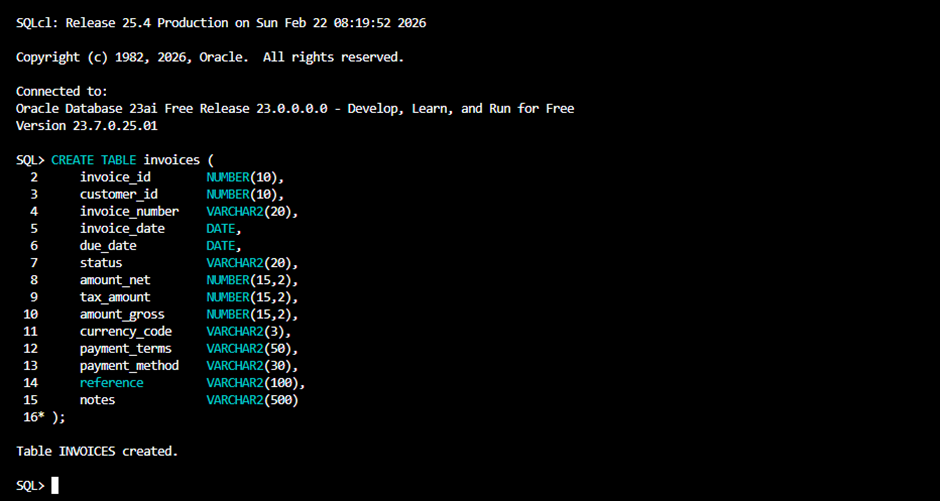
Then we use the LOAD command to load 10 rows from load_invoices_1.csv
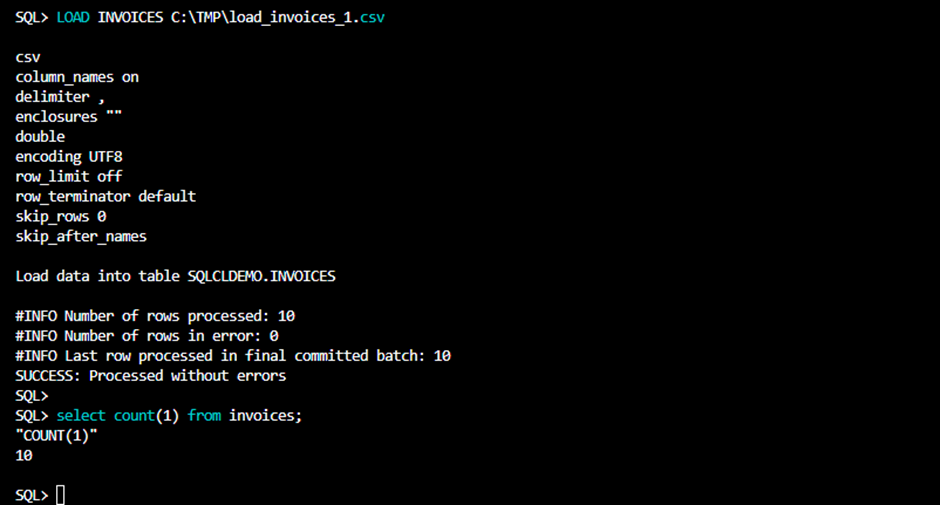
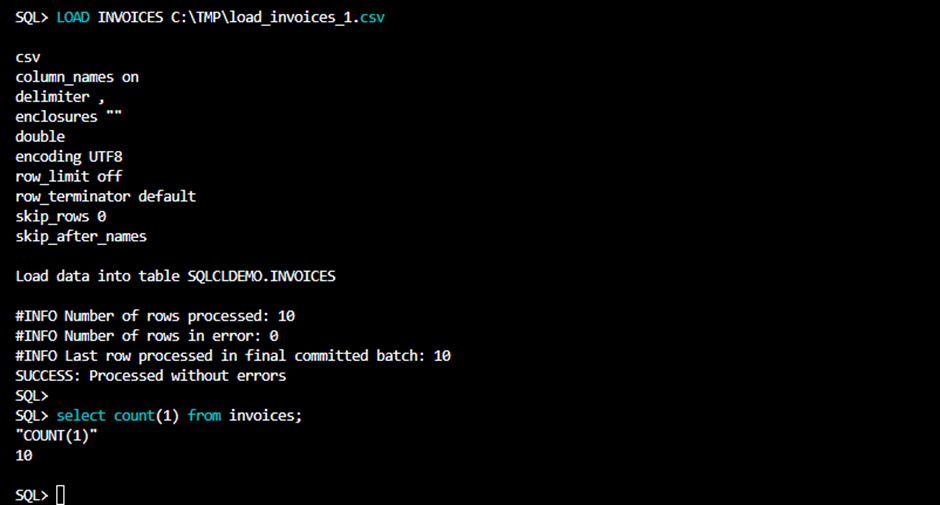
Loading 10 more will append the rows to INVOICES table.
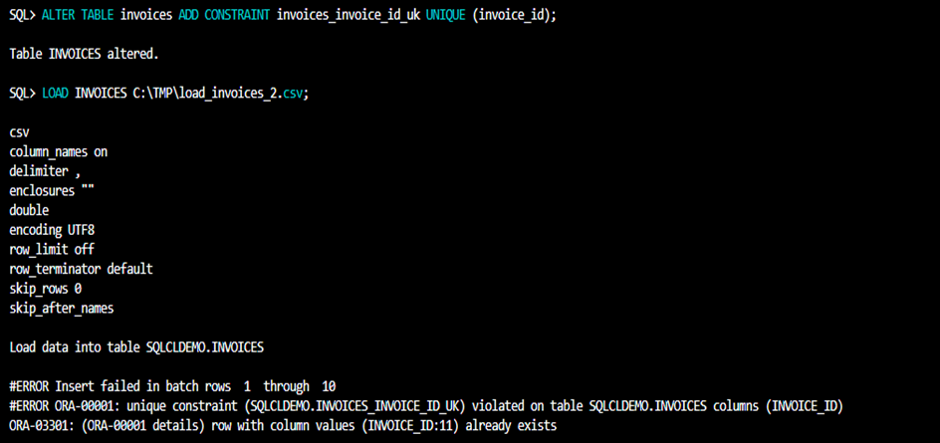
If we have a unique constraint on the table (invoice_id) loading rows with the same invoice_id will fail obviously.
What if we the table do not exist before we run LOAD?
Well, we can add the NEW parameter, and LOAD will create the table for us. Lets first drop the table we are using as an example for this example.
Lets also add SHOW_DDL to let LOAD show us how it will create the table as can be seen in the below example.
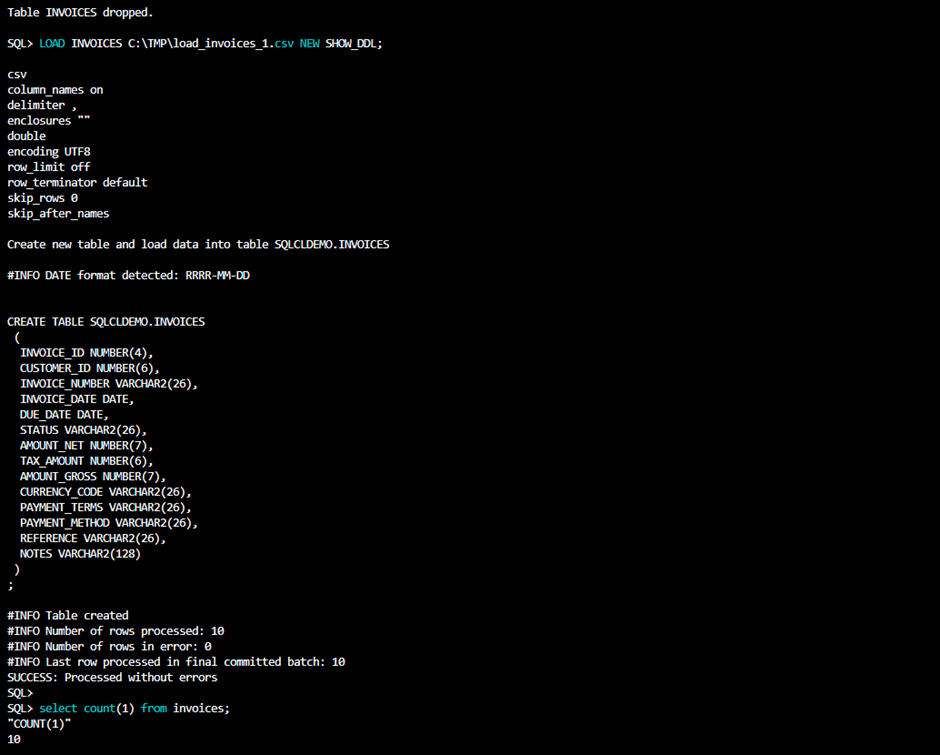
Here we can see that Oracle created the table with the same data types as used when we wrote the CREATE TABLE statement, with the difference that Oracle used shorter precision for number data types and shorter length for VARCHAR data types.
I would recommend letting Oracle create the table — that way Oracle will infer the column precision and size automatically, rather than defining them manually, as this avoids unnecessarily oversized column definitions. One can always increase them later.
One can also use the LOAD command just to generate the DDL and use it elsewhere, or defer the table creation entirely — that way one will get exactly the column sizes needed. We run:
SQL> LOAD INVOICES C:\TMP\load_invoices_1.csv SHOW_DDL;
Oracle SQLcl will show the DDL needed, but nothing else will happen.
The LOAD command in SQLcl is a powerful command that would have helped build the application faster and made the code less complex. The application logic was tied to a specific operating system, physical server access, and the presence of installed binaries like SQL*Loader. SQLcl running locally on your laptop eliminates many of these dependencies, making data loading more portable and accessible.
USE CASE – UNLOAD
UNLOAD is also powerful but limited to unloading data from just one table at a time. This makes the command somewhat less useful in my case than LOAD, but I can still see many use cases where it could help me in different ways. In the application I referred to earlier, I would still be limited to unloading the data using other solutions, as I needed to fetch data from more than one table.
However, to quickly dump all data from all tables and load it into another database, it is very useful. It can also be used to make quick ad hoc backups of a table before making some kind of change to it.