
Oracle Database Security – SQL Firewall
Oracle SQL Firewall: The Allow List That Will Bite Back.
Protecting the database and the data housed within it against attacks and intrusion should be a top priority for every Oracle DBA. The data in the database is, in many organizations, by far their most valuable asset. Hence, working to protect this data should not be a one-time effort but a recurring task.
The number of attacks against databases is increasing rapidly. Especially common is the SQL injection attack — it is a favourite among hackers and is one of the most common database attack techniques. SQL injection attacks have increased dramatically in recent years.
For a long time, protecting against and mitigating SQL injection in a 3-tier application has been attempted outside the database using various technical approaches.
These so-called traditional approaches, aiming to protect against SQL injection, involve placing different types of firewalls before and/or after the application server. Those approaches have not always been fully successful for many reasons, and not all attack attempts can be stopped outside the database. Many of the traditional approaches are also vulnerable to Zero Day exploits.
Oracle aims to address this attack surface with the Oracle SQL Firewall.
SQL Firewall is a new security feature in Oracle Database 23ai and later. It is only available in Enterprise Edition and is a licensed feature. There are two license paths for SQL Firewall. Licensing details are not in scope for this blog post, so we will leave it at — “it requires a license.”
Key Features and Benefits of Oracle SQL Firewall
– Mitigates the risk of SQL injection attacks.
– Enforces trusted connection paths.
– Built directly into the Oracle Database kernel – no external components.
– Easy to deploy and configure.
– No client-side configuration needed.
– Cannot be bypassed.
– Provides a violation log for auditing and monitoring.
– Provides full visibility into all SQL traffic from the specific user.
– Near-zero performance overhead.
– Administered via Oracle Data Safe or the PL/SQL interface.
– Allows only approved SQL statements to execute.
The SQL Firewall is built into Oracle Database and provides real-time protection against threats such as SQL injection, anomalous data access patterns, and credential theft and abuse, by restricting database access and controlling which SQL statements are allowed to execute when logged in as a specific user or from a specific program.
This means that any SQL statement must be on an allow list to be permitted — if it is not, an error is returned indicating that the statement violates the SQL Firewall policy. It can also enforce trusted connection paths based on session context attributes such as IP address, OS username, and OS program name. Oracle will probably expand the list of supported session context attributes in future releases.
In my opinion, SQL Firewall is a strong addition to the Oracle security portfolio. It does require some time and effort to set up, but it is well worth it — and the work involved is not complex, it just takes some planning, especially if the system is larger and has many users that need to be included in the protection scope. SQL Firewall is a feature I would strongly recommend trying out, as it can provide a significantly higher level of protection by controlling what SQL is allowed to execute in the database and who is allowed to connect, and from where.
Implementing SQL Firewall involves three stages: (plus one)
– Enable.
– Train.
– Enforce.
– Maintain.
Maintaining the SQL Firewall rules is an ongoing task and a very important one — and even though it could be classified as part of ENFORCE, I see maintaining and following up as important and it’s enough important to deserve its own stage. New SQL statements that need to be allowed may appear over time, and statements that are no longer permitted may need to be removed. Violations need to be followed up and so on, an ongoing task.
For this demonstration I’m using Oracle Database 23ai Free — I’m connecting through SQLcl in the SQL Developer VS Code extension, all on Linux. If you want to follow along, the Free edition covers everything
demonstrated here. Production or commercial use is a different story — make sure you’re properly licensed.
Working with Oracle SQL Firewall:
SQL Firewall can be administered either through Oracle Data Safe or directly through the PL/SQL interface using DBMS_SQL_FIREWALL.
For demonstration purposes we will use the PL/SQL interface here, for various reasons – one being that Data Safe is an OCI-based product, while the PL/SQL interface is always available regardless of whether your database is in the cloud or on-premises.
We do not want to use a SYSDBA user for administration purposes, so we need to grant the SQL_FIREWALL_ADMIN role to another user. In this case we will use the SYSTEM user.
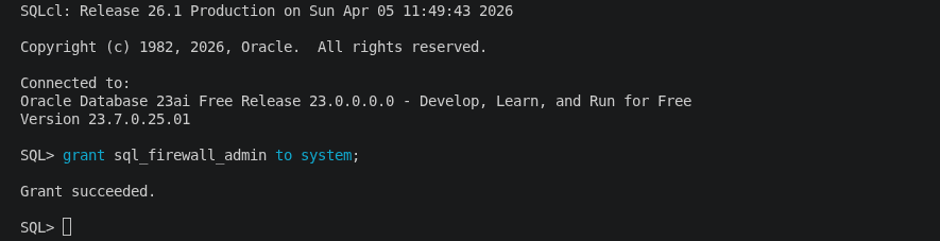
Let’s enable the SQL Firewall and after it’s been enabled, we can start creating firewall rules stating what is allowed to be executed. Therefore, we will create a so-called capture for a schema in my database named “SQLCLDEMO”. This will monitor and collect every SQL executed by schema “SQLCLDEMO”.
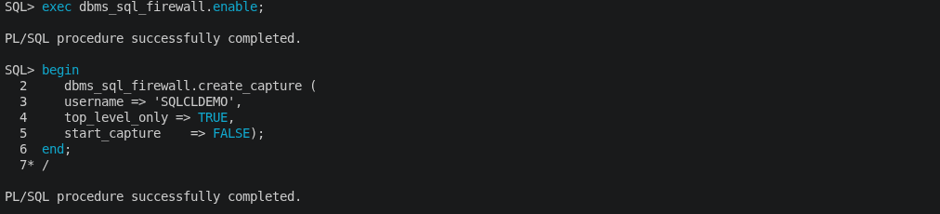
Note that the capturing part must be done for every user schema to control using SQL firewall rules.
Let’s now start the capture as it was not started when creating the capture.

If we had omitted start_capture => FALSE during creation of the capture, we wouldn’t have had to start it manually, as it would have already been started due to TRUE being the default. I prefer to leave it unstarted until actually ready to capture.
To confirm that the SQL Firewall is enabled, we can query DBA_SQL_FIREWALL_CAPTURES view.

Now, logged in as “SQLCLDEMO”, let’s run four SELECT statements. These four, and likely other ones executed upon login, should be recorded in the SQL Firewall capture.
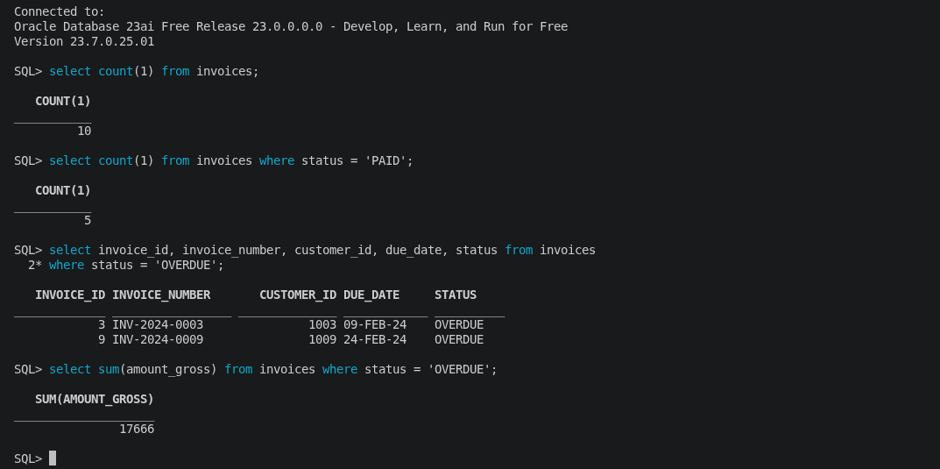
A look in DBA_SQL_FIREWALL_CAPTURE_LOGS will reveal the SQL statements captured.
We can see the four select statements executed has been captured.

Let us stop the capture and generate an allow list.

Next step is to check the SQL allowlist. If we are happy with it, go ahead and enable it.


Let’s check that all four SQL statements still works.
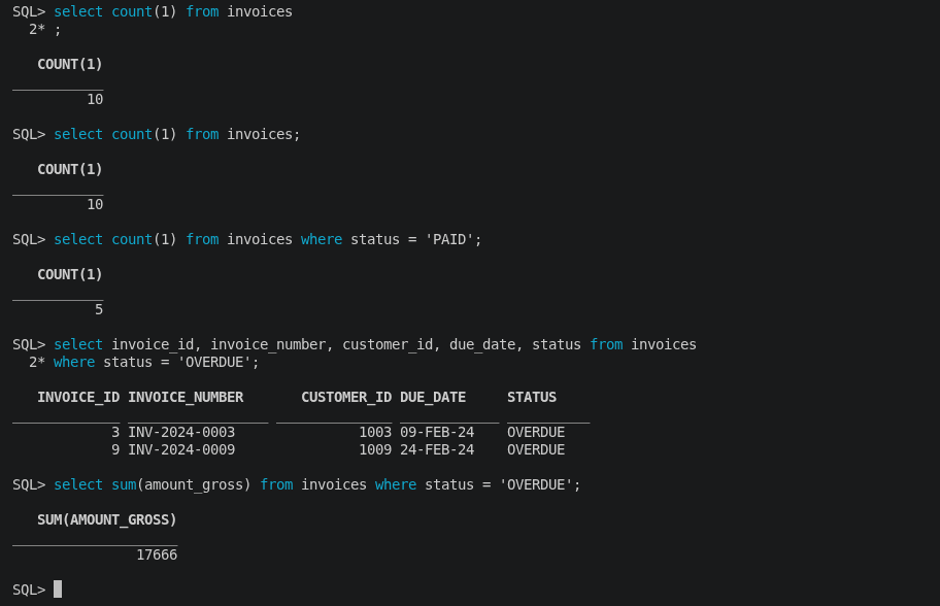
In the example below we can see that running a SQL statement not on the allowlist will generate an error and will not be executed.
A very strong feature indeed. The SQL violating the firewall rules will be found in the violation log, and if wanted, it is possible to easily add it to the allowlist.
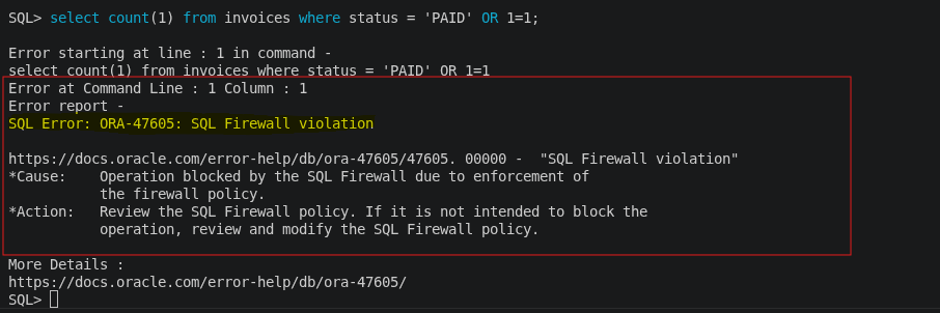
The violation log can be checked by querying the view: DBA_SQL_FIREWALL_VIOLATIONS.
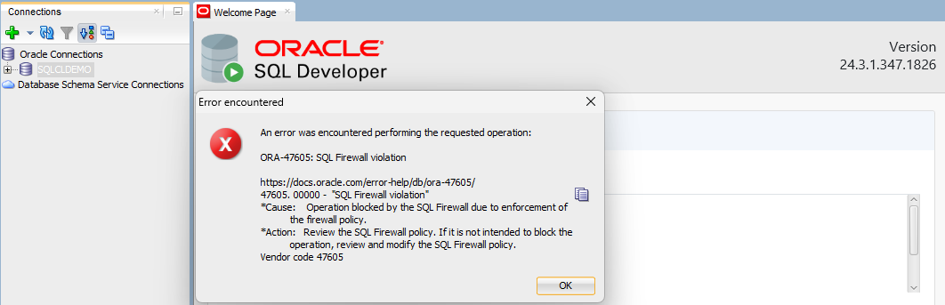
It doesn’t stop there. Not only SQLs were captured, but also the origin of the SQL statements: IP address, OS Program and OS User. This means that since the capture was done by logging into the database using SQLcl from a specific IP, it will not work using SQL Developer from a different machine — a different program so to speak.
To check what has been captured related to origin we can turn our attention to the views:"DBA_SQL_FIREWALL_ALLOWED_IP_ADDR"
"DBA_SQL_FIREWALL_ALLOWED_OS_PROG"
"DBA_SQL_FIREWALL_ALLOWED_OS_USER"
And yes, as expected, I get a SQL Firewall violation when trying to login from a different origin.
Very smooth indeed.
This is a relatively new feature in the Oracle database, but I believe it is a really strong addition that protects especially against SQL injection. Some things can still be added, but hopefully this really powerful feature will be improved even more.I am convinced this powerful addition to the database can be of great use for applications that are exposed to or at risk of SQL injection attacks.
There are many more things one can do when working with SQL Firewall, like dropping a capture, adding/removing certain SQL’s, adding/remove context (adding a new allowed program is one example).
To learn more please make your way to the User Guide at
https://docs.oracle.com/en/database/oracle/oracle-database/26/sqlfw/index.html