
Oracle SQLcl Part 5
Oracle SQLcl – Run It Again: Putting the REPEAT Command to Work…..
We have now reached the final post in my series covering the SQLcl commands I find most useful and reach for on a daily basis.
This post will cover the REPEAT command. It does only one thing and is very simple to use. Those familiar with Linux may recognise its similarity to the watch command — though the two are not exactly the same.
For example, watch cannot be instructed to run for a set number of iterations and then stop on its own. It will keep running until you manually interrupt it. Another thing I find better in SQLcl is how it handles more complex commands. With watch, piped commands require quotes around them — something I more often than not forget at the Linux prompt. In SQLcl that is not something you need to worry about, it just works.
And since we can run host commands from within SQLcl, replacing watch almost entirely is straightforward.
Consider the example below, listing specific Linux processes — which I would probably never need to run repeatedly in practice, but it serves well as an illustration.
$ ps -ef | grep ora_lg | grep -v grepTo run this in SQLcl we simply type the command below, confirm it works, and then we are ready to hand it over to REPEAT.
SQL> !ps -ef | grep ora_lg | grep -v grep
or
SQL> host ps -ef | grep ora_p00 | grep -v grep
Personally, I use the first one — simply because that is the way I am used to doing it. To run a piped command like this repeatedly in Linux using watch, you must remember to wrap the command in quotes, otherwise it will not work. In SQLcl together with REPEAT however, it works without any modification whatsoever. A very handy feature. The strength of REPEAT in SQLcl has led me to run many Linux commands I need to repeat from within SQLcl instead of reaching for watch — I just do not need it as much anymore.
In SQLcl we instruct the REPEAT command with two inputs — how many times to run and how many seconds to wait between each execution. Note that the maximum wait time between repeats is 120 seconds.SQLcl will then simply repeat the last executed command as many times as you specify.This can be very useful, and one case where I often reach for REPEAT is when waiting for a long-running database job.
SQLcl will then simply repeat the last executed command as many times as you specify. This can be very useful, and one case where I often reach for REPEAT is when waiting for a long-running database job. Imagine you need to run an extra RMAN backup during upgrade work. You have no history of how long the backup will take and want to monitor how much progress RMAN has made so far.
REPEAT comes in very handy here. We can simply query the view V$SESSION_LONGOPS using RMAN as the OPNAME, filtering on rows
where SOFAR does not equal TOTALWORK. Then we just issue the REPEAT command, sit back, and watch the RMAN progress while sipping our coffee.
In the examples that follow, I connect to Oracle 23ai Free version from Linux via SQLcl in SQL Dev extensions for VS Code. (VS Code installed and running on Linux)
WORKING WITH THE REPEAT COMMAND:
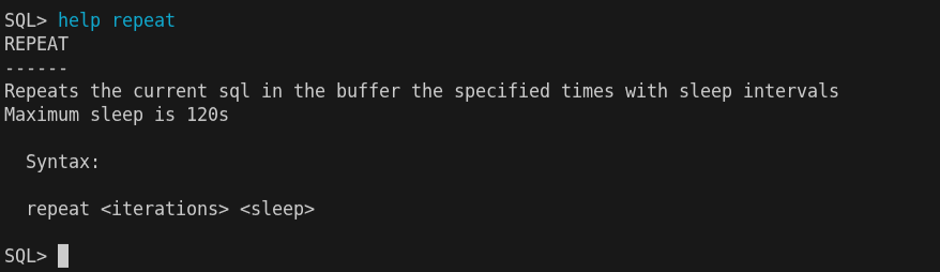
When I start using a new command and add it to my portfolio of tools, I always begin by reading the help section. This command is very simple and does only one thing, so there is not a lot to document — and as you will see, the help output reflects exactly that. Short, to the point, and all you need to get going.
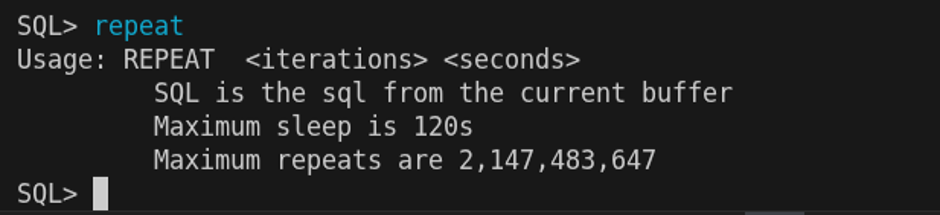
Simply typing REPEAT without any arguments will also give you some useful information — it also reveals an additional fact not shown in the help output: the maximum number of iterations allowed.
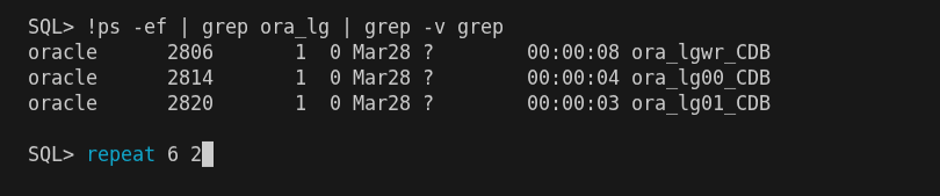
So how does the REPEAT command work in SQLcl? Let us try it with a host command. Executing the command below will output information about some Oracle background processes. We can then repeat it – in this case 6 times, with a 2 second wait between each execution.

SQLcl will show us the current execution number and the delay in use. One thing I would appreciate is if the repeated command itself were also displayed.
Hopefully Oracle will add this in a future release.SQL statements repeated:
As it happens, to find a suitable SQL example I can make use of the HISTORY command — which I covered in my previous post in this series. Let us retrieve one from there and repeat it as well.
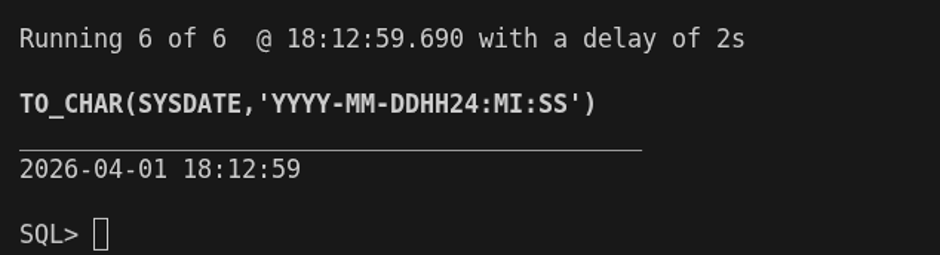
REPEAT will output the result from the execution currently in progress: in this case execution 6 out of 6 iterations.
One thing I would not mind seeing added is the option to list results from all executions when instructed to do so – but this can be solved using SPOOL, as shown in the example below.
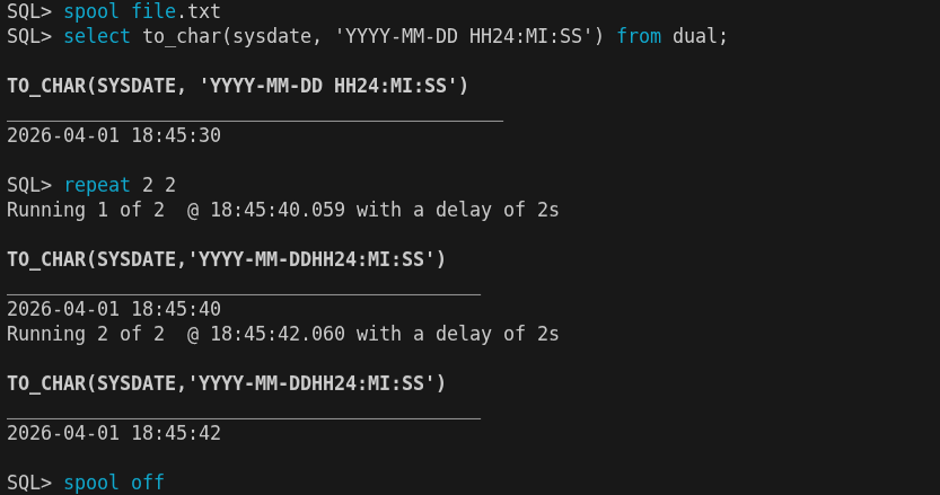
Let’s have a look at the spooled file.
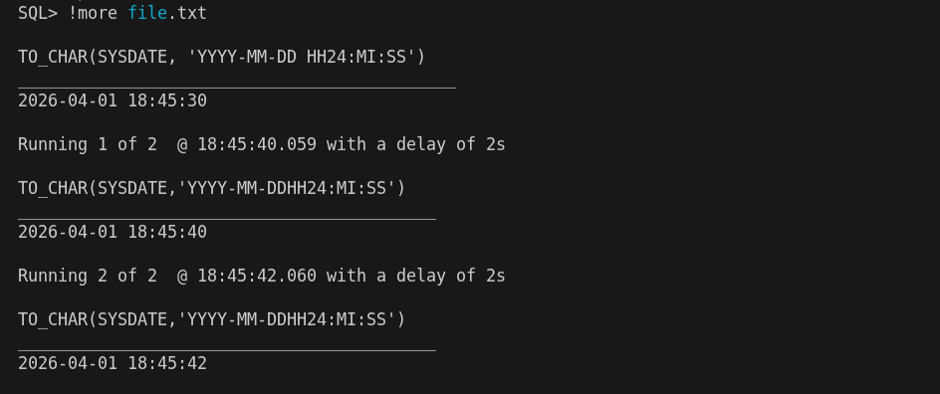
A word of caution: REPEAT will always execute whatever command is currently in the SQL buffer, regardless of what that might be. So always make sure you know exactly what is in the buffer before issuing REPEAT. Make it a habit to either check the buffer first, or only use REPEAT immediately after the command you intend to repeat.
This concludes this small blog post about the repeat feature in SQLcl as well as it concludes this specific series of blog posts about SQLcl. I might share more thoughts on this later; Oracle continuously and rapidly builds and releases powerful new additions and features for SQLcl. I’m hoping one of them will be to show the repeated command above the actual output.